Top 10 Apps to Discover Free Stuff and Maximize Savings
The first time you watch a $42 grocery total drop to $28 because you stacked the store app, a manufacturer coupon, and a cash-back offer, it changes how you...
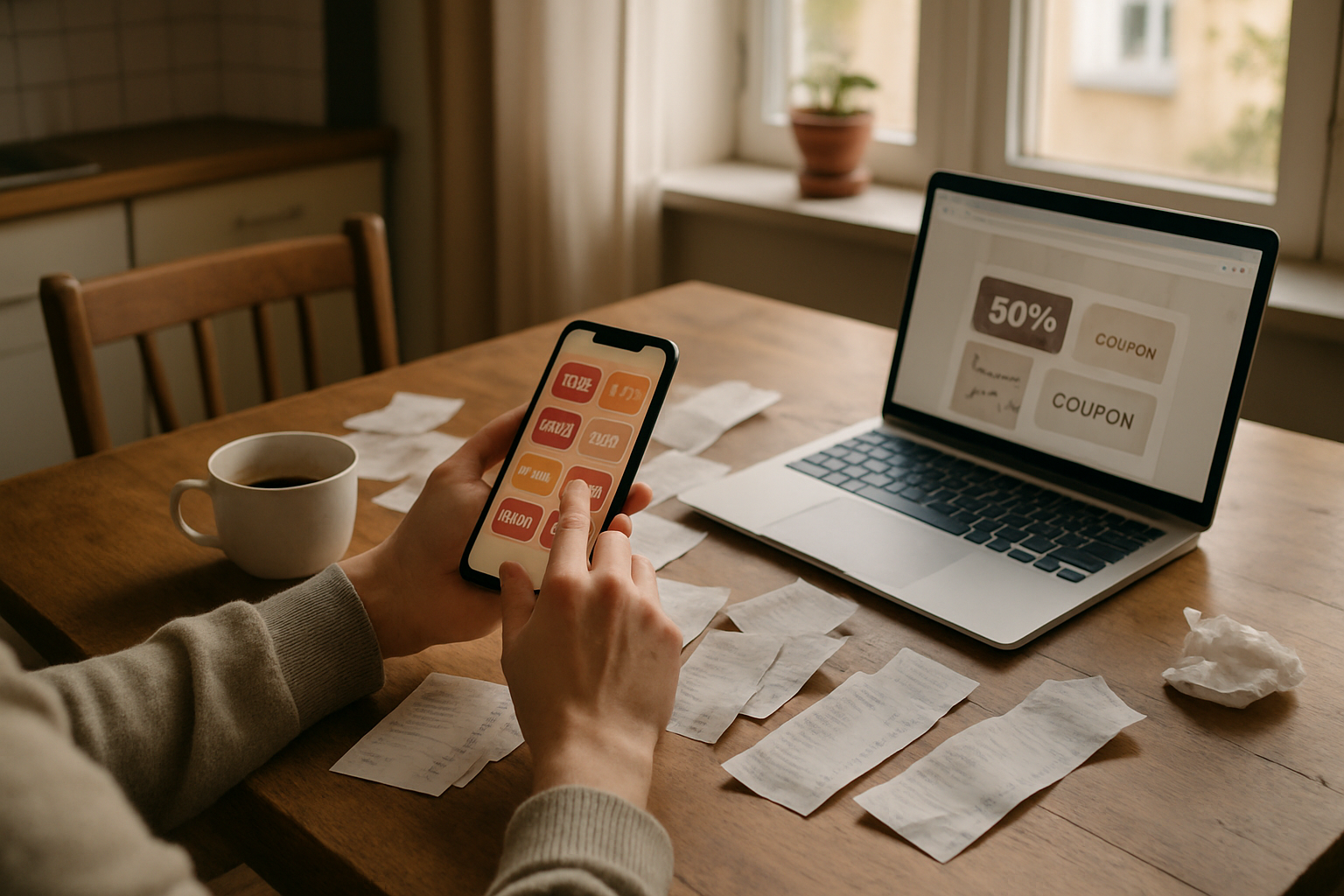
The first time you watch a $42 grocery total drop to $28 because you stacked the store app, a manufacturer coupon, and a cash-back offer, it changes how you look at your phone. A few dollars here and there does not sound exciting. But $8 off groceries twice a month, $10 back on gas, and a free lunch reward once in a while can turn into real breathing room.
Look, you do not need 27 deal apps and a color-coded spreadsheet. That is how people burn out. The useful approach is to keep a small set of apps that do different jobs: one for groceries, one for receipt cash back, one for local restaurant offers, one for used items, and one for price tracking or coupon codes.
These are the 10 apps and tools I think are actually worth learning in 2026. Some save money fast. Some take patience. A couple are only worth using when you already planned to buy something. That distinction matters.
1. Ibotta for grocery cash back
Ibotta is still one of the better apps for earning cash back on grocery purchases. You open the app, add offers before shopping, buy the qualifying items, then submit your receipt or connect a participating store loyalty account when available.
The offers are usually tied to specific brands, sizes, and quantities. That is the catch. You cannot treat it like a magical discount on anything in your cart. If the offer says buy two products, buy exactly what it says. Read the size and flavor requirements too. That is where most missed rebates happen.
Where Ibotta shines is on things your household already buys: cereal, yogurt, pantry staples, frozen food, cleaning supplies, diapers, and pet products. A typical offer might be $0.50 to $2 back, while occasional bundle bonuses can add a few more dollars. A family that uses it selectively could reasonably pull back $10 to $25 in a solid grocery month. Some people earn more, but that often involves buying brands they would not otherwise choose.
Best habit: Check Ibotta while making your grocery list, not after you are standing in the aisle. If an offer does not fit your list, skip it. A $1 rebate is not a bargain if it causes you to spend $4 on something that will sit in the pantry.
2. Fetch for easy receipt rewards
Fetch is simpler than Ibotta. You scan receipts and earn points, with extra points for participating brands and sometimes for connected e-receipts. The base reward on a random receipt can be tiny, so I would not call it a life-changing app. But it is low effort.
The practical value comes from scanning every eligible receipt you already have, including grocery, warehouse club, convenience-store, and restaurant receipts when the app accepts them. Points can be redeemed for gift cards from a range of retailers and restaurants. The redemption options and point values can change, so check the app before assuming a particular reward is the best deal.
I like Fetch as a background savings tool. It takes seconds, and it is better than tossing receipts without checking them. Just do not let points push you toward a brand you do not want. I have seen people get far too excited about a big point offer and buy a bunch of expensive snack food. The math usually falls apart quickly.
3. Upside for gas, convenience stores, and some groceries
Gas is one of those expenses that feels fixed until you start comparing stations. Upside can offer cash back at participating gas stations, convenience stores, and, in some areas, grocery stores or restaurants. You claim an offer in the app, buy within the stated time window, and verify the purchase through a linked card, receipt, or other method the app provides.
A realistic gas offer might be a few cents per gallon, though higher offers do show up. On a 15-gallon fill-up, a 10-cents-per-gallon offer is $1.50 back. That is not thrilling by itself. Do it twice a month and pair it with a station that is already competitively priced, though, and it can be $30 to $50 a year without much work.
Here is the part people miss: never drive across town for a slightly bigger cash-back offer. Saving $1.80 while burning extra fuel and time is not saving money. Use Upside when a participating station is on your normal route and the pump price is reasonable compared with nearby stations.
4. Flipp for weekly grocery ads and price matching
Flipp is not a cash-back app. It is an ad and coupon browsing tool, and that is exactly why it is useful. It puts many weekly circulars in one place and makes them searchable. Search “chicken breast,” “coffee,” “paper towels,” or whatever is on your list, then compare nearby stores.
This works best for groceries and household basics because those prices can vary more than most people realize. If one store has ground beef for $2.99 per pound and your usual store is $4.49, that difference adds up quickly when you are feeding several people. A few carefully planned sale items can easily save $10 to $20 on one weekly shop.
Flipp is also helpful if your local store price matches competitors. Policies differ by chain and location, and some stores have tightened their rules, so check before you count on it. Still, the app makes it much easier to know whether a sale is actually good or just has a bright red “special” label.
Use a price book, even a very basic one
The app tells you what is on sale. You still need to know whether the sale is worth buying. Keep a note on your phone with the best normal prices you see for ten or fifteen staples: chicken, ground meat, pasta, detergent, coffee, toilet paper, berries, and pet food. Include unit prices when you can.
That little note protects you from fake deals. A huge box of cereal might be “on sale” for $4.99, but a smaller box with a store digital coupon could be cheaper per ounce. Unit pricing is boring. It also saves money.
5. Shopmium for manufacturer rebates without the clutter
Shopmium works a lot like a manufacturer rebate app. You browse offers, buy the eligible product, upload your receipt, and receive cash back through the app. It tends to have a smaller offer selection than the biggest grocery rebate platforms, but that can actually make it less overwhelming.
Its best use is stacking. Say a grocery store has a sale on a qualifying product, you have a store digital coupon, and Shopmium has a rebate. Depending on the terms, those can sometimes be combined. Always read each offer carefully because limits, exclusions, and one-per-account rules matter.
I would not build an entire grocery trip around Shopmium. I would check it for products already on sale or items your household uses regularly. A $1.50 rebate on something you planned to buy is good. A $1.50 rebate that persuades you to buy a $7 item you do not need is just expensive marketing.
6. Too Good To Go for cheap surprise food bags
Too Good To Go connects customers with local bakeries, restaurants, cafes, and grocery businesses that have unsold food near closing time. You reserve a “Surprise Bag” in the app, pay a reduced price, and pick it up during the listed window.
This can be one of the best values on the list when it fits your schedule. A bag that costs $4 to $6 may contain food the business values at considerably more. The contents are not guaranteed, though. That is the deal. You are taking what is left, not ordering exactly what you want.
It works well for flexible households, students, people who can freeze bakery items, or anyone comfortable making a meal out of whatever shows up. It is less useful if you have strict allergies, a very picky eater, a long drive to pickup, or no plan for using food quickly.
My honest opinion: Too Good To Go is great when you treat it as a bonus, not a grocery plan. A discounted bag of pastries is not a savings win if half of it goes stale on the counter. But a $5 bakery bag that covers breakfasts for two days can beat buying individual muffins at full price.
7. Facebook Marketplace for household items you would otherwise buy new
Facebook Marketplace is not really an app for coupons. It is a way to avoid paying retail for things that do not need to be new. Kids’ bikes, shelving, patio furniture, baby gear, tools, sports equipment, books, holiday decorations, and small appliances are often listed for far less than store prices.
The best savings happen when you search with a specific need and a price ceiling. Search “desk,” set a radius you can realistically drive, and decide your maximum before you start scrolling. If a new basic desk costs $150 to $250, a clean used one for $40 to $75 can be a meaningful difference.
Use common sense. Meet in a public place when possible, inspect items before paying, and do not send deposits to strangers for a listing you have not verified. If a price looks absurdly low and the seller wants payment outside the platform, walk away. There will be another listing.
Marketplace can also help you sell your own unused stuff. That is part of maximizing savings. Turning an outgrown stroller, unused exercise equipment, or a pile of unused home decor into $50 to $200 can fund something your family actually needs.
8. Buy Nothing for truly free local items
Buy Nothing is one of the few places where “free” often means free, not free after buying something else. The Buy Nothing app and local community groups help neighbors give away items they no longer need. You may find clothes, kitchen supplies, toys, school supplies, plants, moving boxes, furniture, and sometimes unopened pantry items.
The key is to be respectful and realistic. Claim only what you can pick up. Show up when you say you will. Pass along useful things when you have them. The whole system works because people are not treating it like an online clearance rack.
This is especially useful during transitions: moving, setting up a first apartment, welcoming a baby, changing seasons, or replacing a broken household item. A free lamp, storage bin, winter coat, or set of kid books can save $15, $30, or much more. It also keeps usable stuff out of the trash.
It is not the place to demand a specific brand or expect instant results. Think of it as a patience app. Put out an “ask” for something you need, check regularly, and be ready to wait a week or two.
9. Honey and Capital One Shopping for online coupon checks
For online orders, browser extensions and apps like Honey and Capital One Shopping can test promo codes, show price history or comparisons in some cases, and surface cash-back offers. Neither tool catches every discount. I would never assume the first code it tries is the best one. But they are useful as a last check before you pay.
The biggest savings often come from a simple routine: put the item in your cart, wait a day if it is not urgent, then compare the retailer’s price with a couple of other sellers. Check whether the retailer offers email or text signup savings, but use a separate deals email address if you do not want your main inbox buried in marketing.
For a $60 pair of shoes, a 15% first-order code saves $9. Add 3% cash back and you are at roughly $10.80 back before taxes and shipping differences. That is worthwhile. Spending an hour hunting for a missing 2% coupon on a $15 order is not.
If you buy gift cards, check reputable discount options before paying full price. A small discount on a gift card can stack with a store sale or coupon. The site’s guide to discounted gift cards is a useful place to understand how to do that without chasing sketchy resale listings.
10. Birthday Hunter for deals and rewards you can plan around
Birthday Hunter is a free app and website where you can find deals, freebies, and rewards year-round. I like that it helps organize offers that are easy to miss, including restaurant rewards, retail promotions, app-based deals, and special occasion perks.
Yes, it is useful for birthday offers too, but it is not only about that. If you want a simple reference point for reward programs and rotating deals, it can save you from signing up blindly for every brand newsletter. For people building a year-round savings routine, that is the real benefit.
If you do enjoy birthday rewards, make a separate note of programs with signup deadlines. Many brands require you to join well before the date or have an active account before they send an offer. The site keeps a master list of birthday freebies, plus a practical list of free birthday food offers. Those are handy when you want to plan rather than hope an email appears at the last minute.
I would not sign up for every possible reward program. Pick places you already visit or would genuinely use. A free dessert from a restaurant you never go to is not a deal if you spend $45 getting there and ordering dinner.
How to make these apps work without turning saving money into a part-time job
The apps are not the strategy. Your habits are the strategy.
- Choose three core tools first. For most households, that means one grocery rebate app, one receipt app, and one local deals or resale app. Add more only after the first three become routine.
- Check offers before shopping. Five minutes at home beats standing in a crowded store trying to decode a rebate.
- Use one deals email address. It keeps coupons, reward notices, and sale alerts out of your personal inbox.
- Turn on notifications selectively. Keep notifications for apps with expiring rewards or pickup windows. Turn off the rest. Constant alerts make people stop checking all of them.
- Set a monthly savings goal. Try $20 at first. Once you see where savings come from, $50 a month is realistic for many families without changing everything they buy.
- Cash out when you can. Do not leave a large balance sitting in an app for no reason. Terms can change, accounts can have issues, and money in your bank or a gift card you will use is more useful.
- Track actual savings, not claimed savings. If an app says you “saved” $12 because you bought a promoted snack, but you would not have bought it otherwise, count that as $0.
Here is a realistic example. Say you save $12 a month with grocery rebates, $4 a month from receipt rewards, $3 a month from gas cash back, and average $15 a month by buying one needed household item used instead of new. That is $34 monthly, or $408 across a year. Add one or two properly planned restaurant rewards or online coupon purchases, and getting past $500 is possible.
That is not retirement money. But it can cover school supplies, part of a utility bill, a family outing, or the annoying unexpected expense that always shows up at the worst time.
What is usually more hassle than it is worth
I am not impressed by every savings app. Some require too many steps for pennies. Some use confusing point systems that make rewards feel larger than they are. Some are built around “exclusive deals” that are basically normal prices with a countdown timer.
Be cautious with survey apps that pay tiny amounts for long questionnaires, rebate platforms that require buying unfamiliar products, and coupon apps that make you scan every receipt multiple times for fractions of a dollar. There are exceptions, but your time matters.
Also, do not chase free samples unless you truly want the item. Many require shipping, recurring subscriptions, or a pile of follow-up marketing. Free is only helpful when it replaces something you would otherwise buy.
The same rule applies to restaurant rewards and birthday perks. If it is somewhere you already eat, great. If it encourages an unnecessary trip or an expensive order, skip it. Savings should make your regular life cheaper, not give you new ways to spend.
A simple weekly routine that sticks
On the day before grocery shopping, spend ten minutes in Flipp and your grocery rebate apps. Build your list around normal meals, then see whether any offers fit. After shopping, scan your receipt in Fetch and submit applicable rebates. Before filling up, open Upside and check stations already along your route.
Once a week, take five minutes to look at Facebook Marketplace and Buy Nothing for one item you need. Not twenty items. One. That keeps it focused.
Before an online order, check the retailer’s own sale page, test a coupon extension, compare one or two competitors, and look for a discounted gift card if it is a store you use often. Then buy the thing or close the tab. Endless deal hunting is its own kind of waste.
That is the whole system. Small checks. Repeatable habits. No complicated coupon binder required.
FAQ
What is the best app for finding free stuff near me?
Buy Nothing and Facebook Marketplace are the best places to start for local free items. Buy Nothing is more community-based and focused on gifts. Facebook Marketplace has more volume, including “free” listings, but you need to watch for scams and check listings carefully.
Can I use more than one cash-back app on the same grocery receipt?
Often, yes. A receipt may qualify for offers from more than one app, depending on each app’s terms and the specific promotion. You can also sometimes combine a store sale, store coupon, manufacturer coupon, and cash-back offer. Read the rules for every offer before counting on a stack.
Are grocery rebate apps worth the time?
They are worth it if you use them for items already on your list. Spending five to ten minutes before a grocery trip to save $5 to $15 can make sense. Buying products just to unlock rebates usually does not.
How do I avoid overspending because of deals?
Start with your list and budget, then look for deals that fit. Never start by browsing offers and building a cart around them. Track money actually saved, not advertised discounts. If you would not have bought it at full price, be honest that the deal may not be a savings.
Brands mentioned in this post

Actionable Tips for Listing Your Retail Business on Deal Apps Successfully
Next PostHow Birthday Hunter Makes Collecting Birthday Deals Simple and Rewarding
Related Posts
Related Guides
The Ultimate Guide to Birthday Freebies: 100+ Places to Celebrate for Free
Discover over 100 restaurants, retailers, and entertainment venues offering free items, meals, and gifts on your birthday. Our comprehensive guide helps you maximize your birthday celebrations without spending a dime.
30 Apps That Reward You On Your Birthday in 2026
Discover the 30 best apps that give you free food, drinks, beauty products, and exclusive perks on your birthday. Our complete 2026 guide covers signup requirements, what you get, and how to claim every reward.
Banking Birthday Rewards 2026: 25 Banks and Credit Unions With Birthday Perks
Discover 25 US banks, credit unions, and fintech apps offering birthday rewards in 2026. Our guide covers national banks, credit unions, online banks, credit card birthday bonuses, and investment apps with documented birthday perks for account holders.
15 Apps That Pay You Real Money in 2026 (Cash, Not Just Points)
Looking for apps that actually pay real money? Here's how reward apps work, what they pay, red flags to avoid, and how Birthday Hunter pays out to Cash App, PayPal, and Venmo.